How-to guide
How to attach receipts to your transactions
Keep a photo or PDF of each receipt with the spending it belongs to, find them again in seconds, and see how the free monthly allowance works.
Updated 2 November 2026
Before you start
- A KeaBudget account (free).
- A photo or PDF of the receipt. A phone photo is fine: KeaBudget shrinks it before it uploads.
- The spending recorded as Money out. Receipts go with money out, not income.
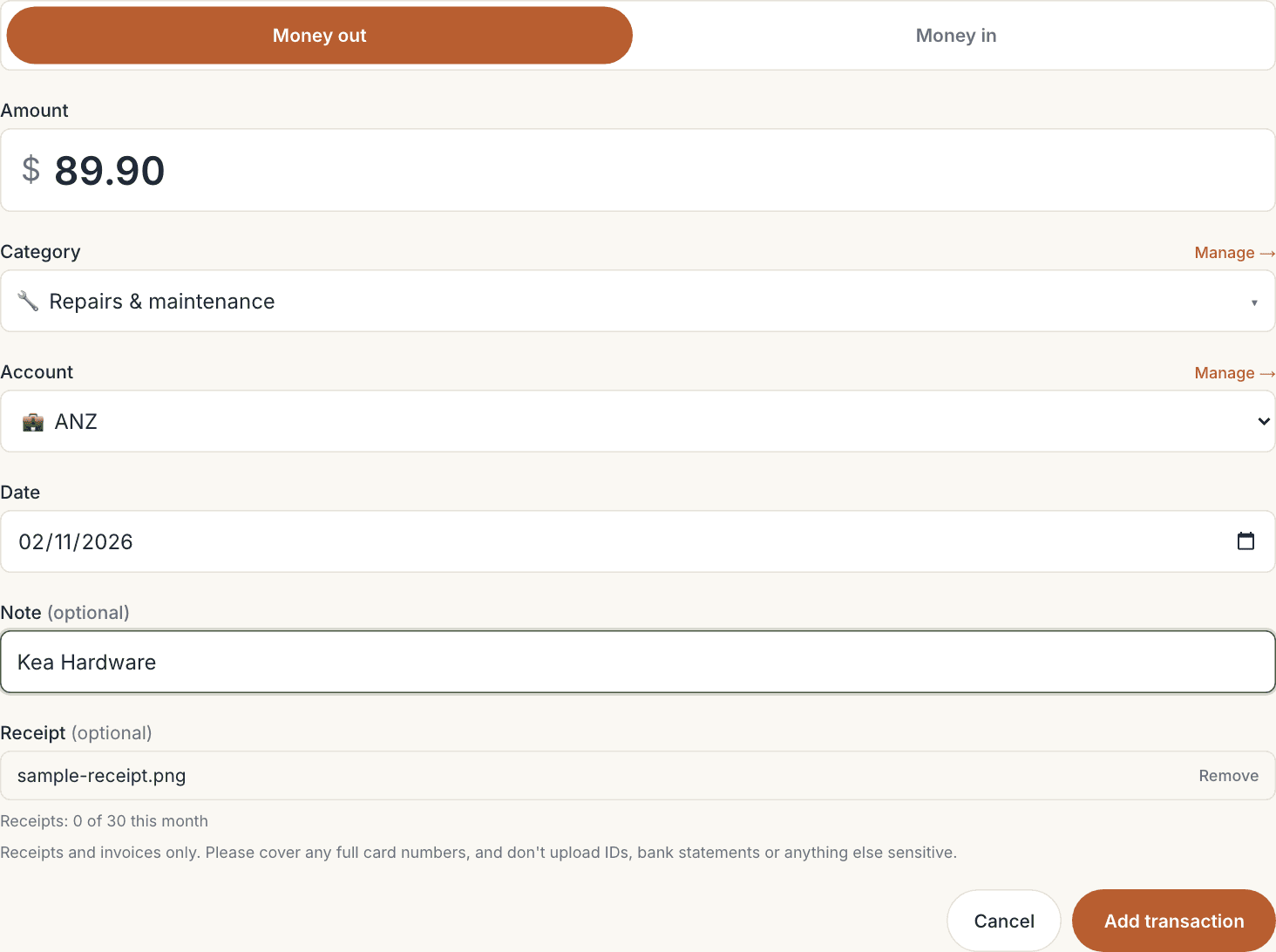
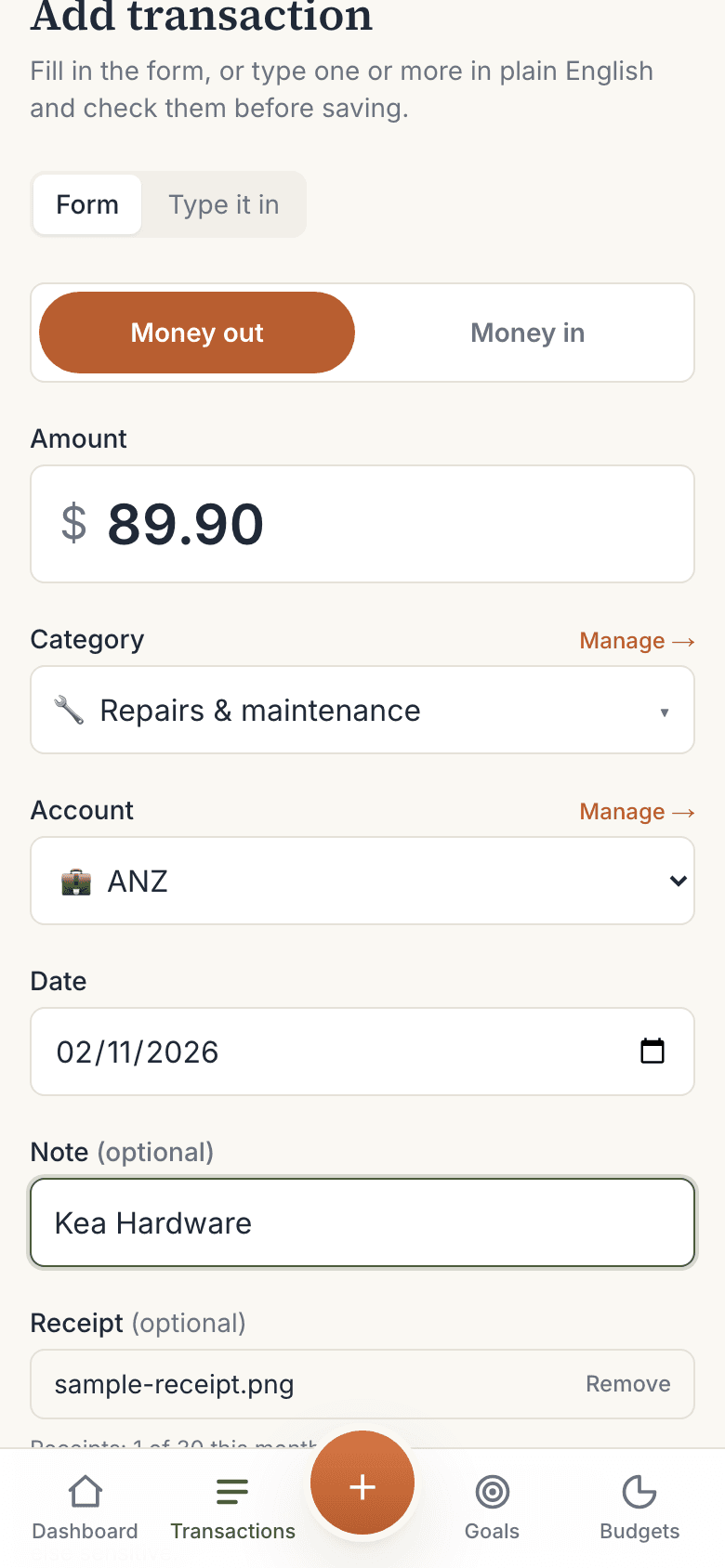
Add a receipt as you add the transaction
- Tap + Add transaction (top right on a computer, the round + on a phone).
- Leave it on Money out, then fill in the Amount, Category, Account and Date.
- Under Receipt (optional), tap Add a photo or PDF. On a phone you can take the photo there and then.
- Check the file name shows, then tap Add transaction.
You'll see Transaction added with its receipt.
Attach a receipt to a transaction you already have
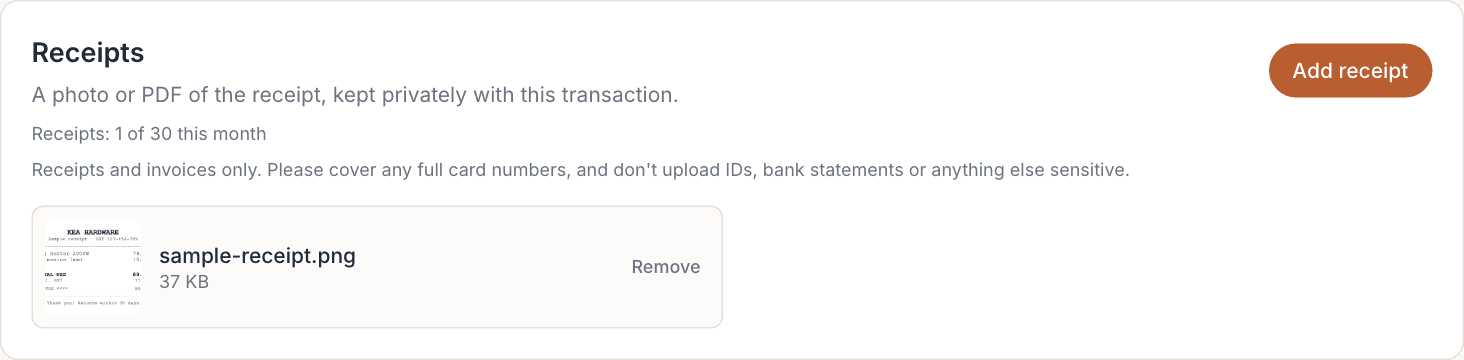
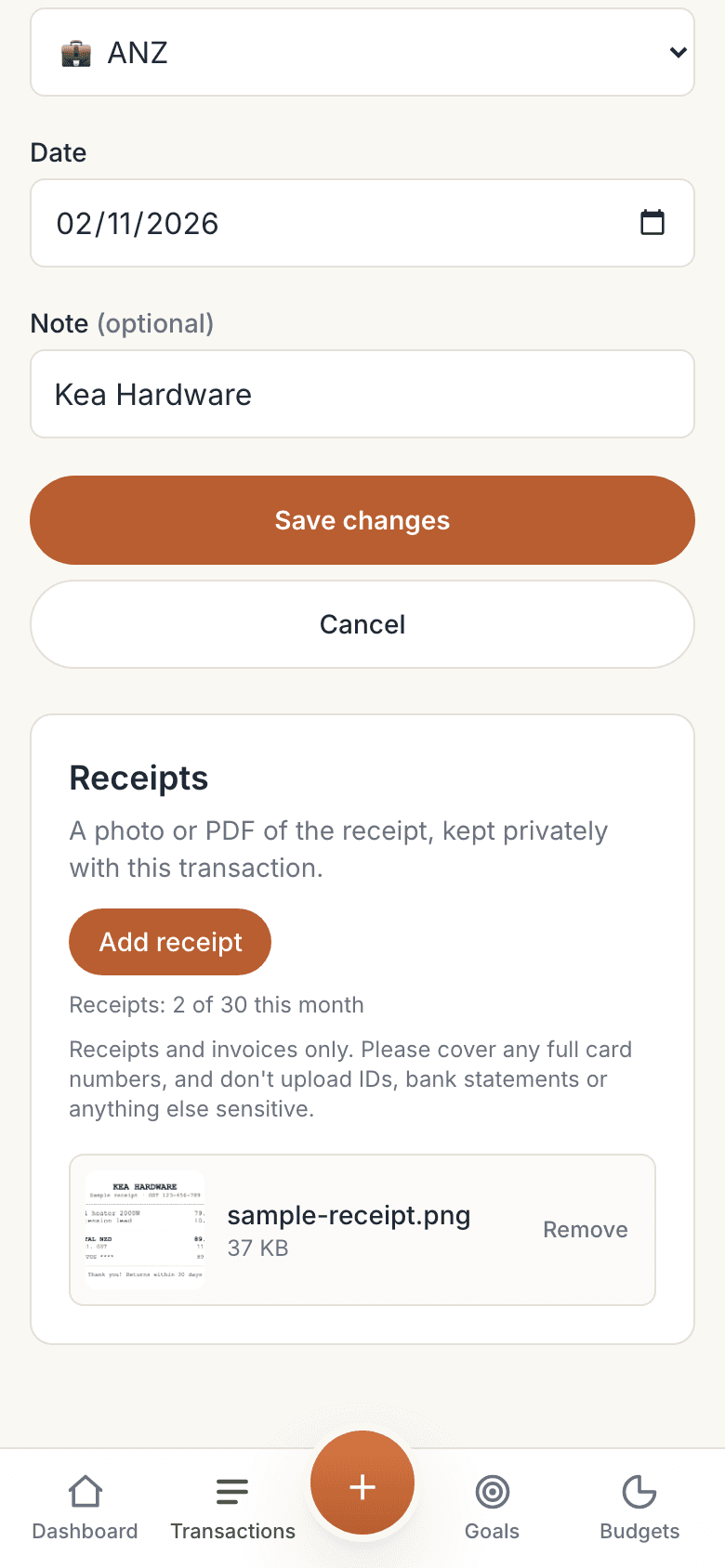
- Open Transactions and tap Edit on the spending you want.
- Scroll down to Receipts and tap Add receipt.
- Choose the photo or PDF. It appears in the list straight away.
You can attach more than one receipt to the same transaction, for example an invoice and the card slip.
Find the transactions that have receipts
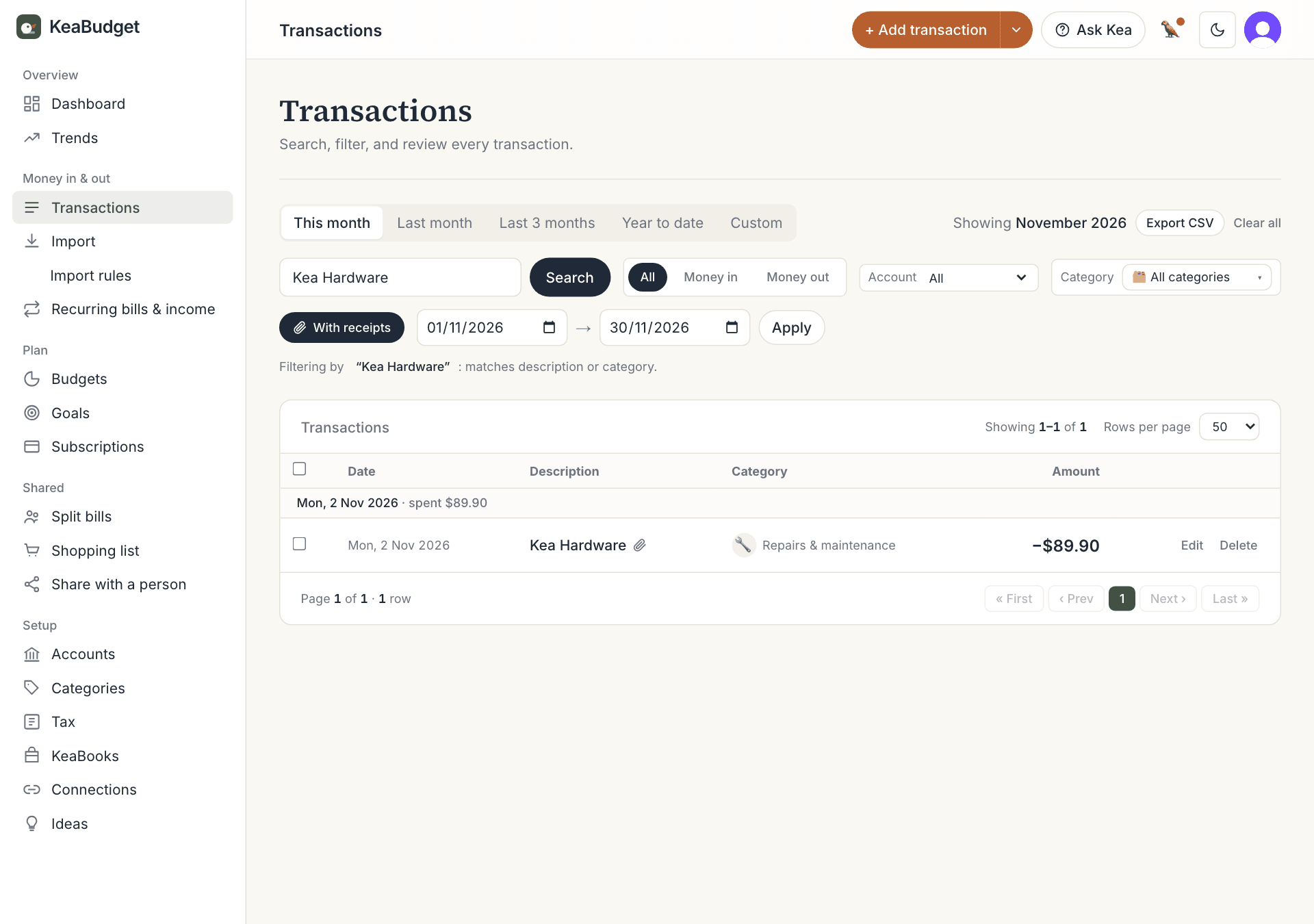
Every transaction with a receipt shows a small 📎 paperclip next to its name, on the dashboard and on the Transactions page.
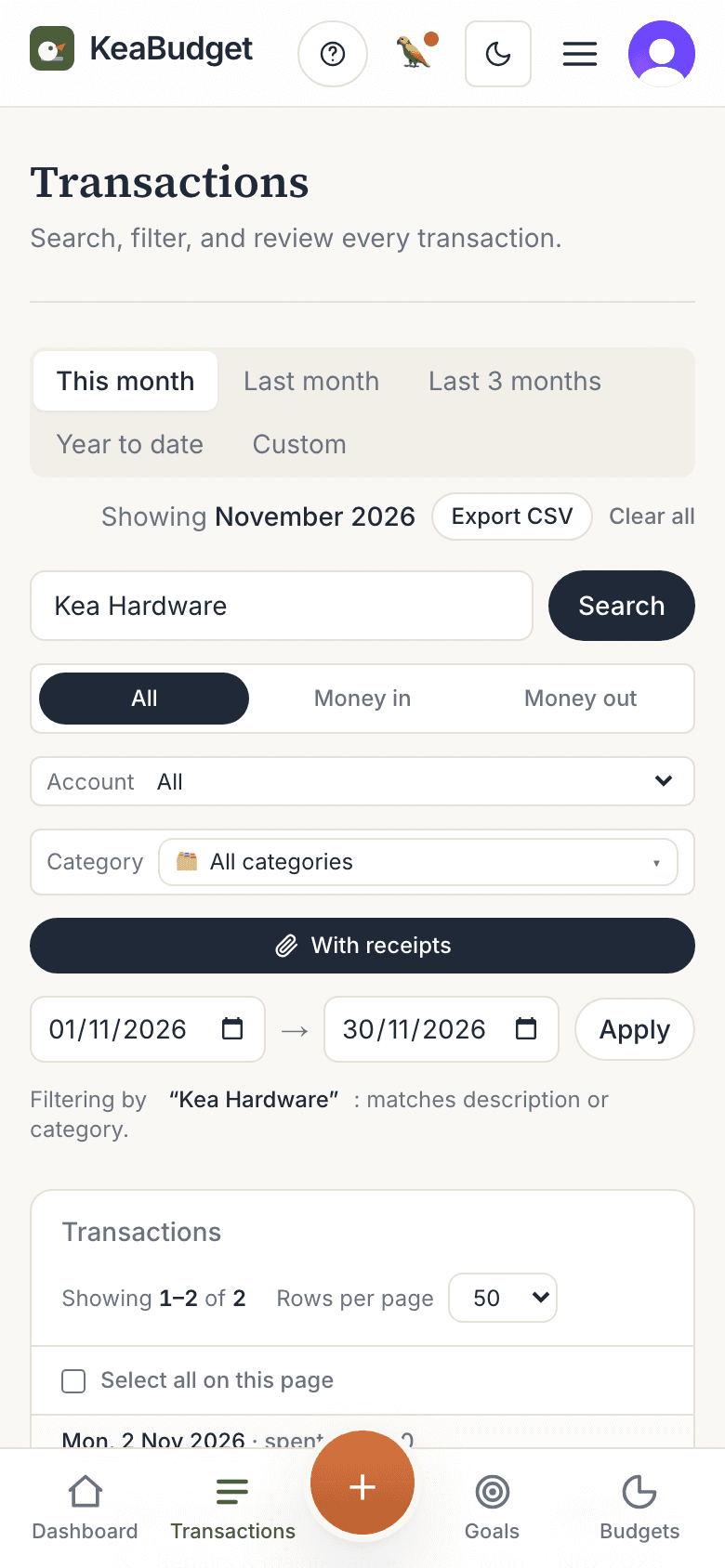
To see only those transactions, open Transactions and tap With receipts. It works with the other filters too, so With receipts plus a search for "heater" finds that one receipt fast. Export CSV then exports just those rows.
Open or remove a receipt
- Tap Edit on the transaction.
- In Receipts, tap the picture to open the full receipt.
- To delete one, tap Remove, then Confirm.
Removing a receipt deletes the file for good. Deleting the whole transaction deletes its receipts too.
Your 30 receipts a month, and asking for more
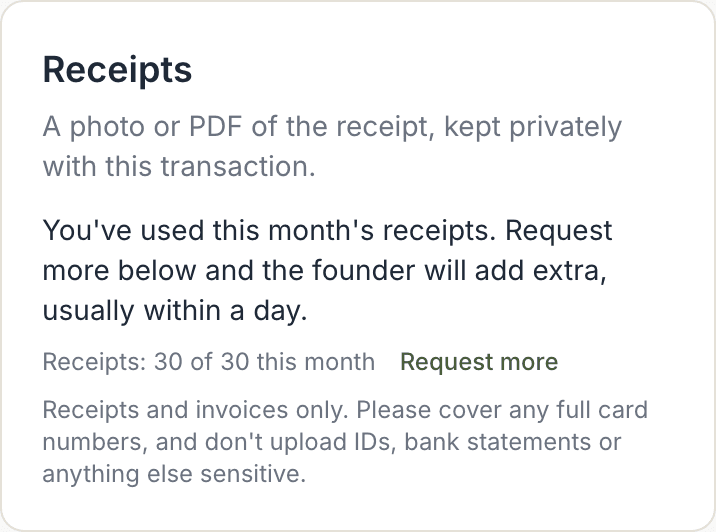
Every account can attach 30 receipts a month for free. The count shows under the receipt picker, for example Receipts: 12 of 30 this month, and starts again on the 1st.
When you're close to the limit, a Request more link appears. Tap it and we'll add 30 more for the month, usually within a day. You'll get an email when they're added.

| What you see | What it means |
|---|---|
| Receipts: 12 of 30 this month | You've attached 12 receipts this month. 18 to go. |
| Request more | You're within 5 of the limit. Tap it to ask for 30 more. |
| Request sent | Your request is with us. You'll get an email when it's approved. |
| You've used this month's receipts | The limit is reached. Use Request more, or wait until the 1st. |
Worth knowing
- Private by design. Receipts are stored privately in Sydney, Australia. They have no public link: only you, signed in, can open them.
- Photos are shrunk on your phone before they upload, so they're quick and well under the 4 MB limit.
- PDFs up to 10 pages. Most receipts and invoices are one page. A long PDF is usually a statement, which doesn't belong here.
Troubleshooting
| Problem | What to check |
|---|---|
| There's no Add receipt option. | Receipts go with Money out. Check the transaction isn't Money in or a transfer. |
| "That file doesn't look like a photo or PDF." | Only JPEG, PNG, WebP and PDF files work, and the file has to really be one (a renamed file is refused). Try taking the photo again. |
| "That file is over 4 MB." | Photos are shrunk automatically, so this is usually a large PDF. Scan it at a lower quality or as fewer pages. |
| "That PDF is over 10 pages." | Attach just the receipt or invoice page, not a whole statement. |
| "You've used this month's receipts." | Tap Request more, or wait until the 1st when the count starts again. |